If you’ve been hearing a lot about Apple TV lately, whether it’s Ted Lasso, The Morning Show, or Severance showing up in your social feed, you’re probably curious enough to want to try it without committing to a monthly bill right away.
The good news is you can.
Apple TV offers a 7-day free trial for new subscribers, which gives you a full week to explore the service before you’re charged anything.
And depending on your situation, you might actually qualify for a much longer trial – up to 3 months free.
Apple TV is Apple’s own streaming service, launched in 2019 as Apple TV+. Everything on the platform is original content – no licensed movies or older TV shows from other studios. That means a smaller library than Netflix or Disney+, but one where the quality is genuinely consistent.
The service has picked up Emmy Awards, Golden Globes, and Academy Awards since launching, which is a strong track record for a platform that’s only been around a few years.
It costs $12.99 a month after your trial ends. You can watch on iPhone, iPad, Mac, Apple TV, smart TVs, and through a regular web browser – so you don’t need to own Apple devices to use it.
In this article, I’ll walk you through all the ways to claim a free trial, what you get access to during that time, and what to watch so you don’t waste a single day of it. I’ll also cover the fine print you need to know – like when your trial ends and how to cancel if you decide it’s not for you.
This post may contain affiliate links. TrialBear earns commissions at no extra cost to you when purchases are made through links on this page. For more info, visit the disclosure page.
Apple TV Verdict & Rating
Rating: 4/5 Bears 🐻🐻🐻🐻☆
Quick Verdict:
Apple TV+ has a smaller library than most streaming services, but the quality of its originals is hard to argue with. The 7-day free trial is enough time to binge a series or two and decide if it’s worth keeping.
Standout Indicators
- ✅ Award-winning originals you won’t find anywhere else
- ✅ Clean, easy-to-use interface across all devices
- ✅ Multiple ways to get a longer free trial
- ❌ Smaller content library compared to Netflix and Disney+
- ❌ Only 7 days on the standard free trial
Quick Take:
If you’re curious about Apple TV+ but not ready to commit, the free trial is a no-brainer. A week is plenty of time to watch a full series and make up your mind. Just set a reminder before the trial ends.
What You Get on Apple TV Free Trial
When you start your Apple TV free trial, you get full access to everything on the platform. There’s no locked content or premium tier you have to pay extra to unlock. Whatever a paying subscriber can watch, you can watch during your trial.
Here’s a breakdown of what’s included:
Original Series
This is the heart of Apple TV.
The platform has built its reputation on scripted dramas and comedies that can genuinely compete with anything on Netflix or HBO. Shows like Severance, The Morning Show, Ted Lasso, Slow Horses, and Bad Sisters have all earned serious critical attention. New episodes of ongoing series drop weekly, so depending on when you sign up, you may be jumping into an active season.
Films
Apple has been quietly building a solid movie library too. Their films have done well at awards season – CODA won Best Picture at the 2022 Academy Awards, and Killers of the Flower Moon was an Apple original. These aren’t filler movies. They’re the kind you’d expect to pay to see in theaters.
Documentaries
If you enjoy documentary content, Apple TV has a strong selection. Topics range from nature and science to true crime and cultural history. The Enfield Poltergeist and Prehistoric Planet are good examples of the range they cover.
Kids and Family Content
Apple has a decent lineup for younger viewers too. Wolfwalkers is a beautifully animated film that’s won awards of its own, and the Peanuts library – yes, Charlie Brown – lives on Apple TV.
If you have kids at home, this alone might make the trial worthwhile.
Sports (MLS Season Pass)
This one is separate from the standard subscription. Apple TV is the exclusive home of Major League Soccer in the US, but MLS Season Pass requires an additional fee on top of your Apple TV subscription. It’s not included in the free trial, so just know that going in if soccer is the reason you’re signing up.
The library is smaller than what you’d find on Netflix or Disney+. Apple doesn’t have decades of licensed content to fall back on. What they have is intentional. Every title on the platform is something Apple chose to make or acquire. For some people that’s a feature. For others it takes some getting used to.
What To Watch on Apple TV
With a 7-day trial, you’re not going to get through everything – and you don’t need to. The library is focused enough that a little direction goes a long way. These are the shows and films worth prioritizing so you make the most of your time.
Ted Lasso

This is honestly what got me to try Apple TV+ in the first place. Everyone kept talking about it and I wanted to see what the hype was about.
Ted Lasso follows an American college football coach who gets hired to manage a British soccer team despite knowing nothing about the sport. It sounds like a simple comedy premise, but the show ended up being something a lot more layered than I expected – genuinely funny, but also warm and surprisingly moving at times.
It ran for three seasons and won a pile of Emmy Awards. If you’re only going to watch one thing during your trial, start here.
Severance
If Ted Lasso is the feel-good pick, Severance is the one that will keep you up at night trying to figure out what’s going on.
The premise is unsettling in the best way – employees at a company have their work and personal memories surgically separated, so they have no memory of their outside life while at work, and no memory of work when they go home. It’s dark, beautifully shot, and genuinely one of the most original shows on any streaming platform right now.
Season three is set to be released in 2027, but there’s plenty to dig into with the two available seasons.
The Morning Show
A drama set behind the scenes of a morning news program, starring Jennifer Aniston and Reese Witherspoon. It deals with workplace power dynamics, media culture, and what happens when a public scandal forces everyone to pick a side. It’s a well-acted, well-produced show that feels very much aimed at the same audience who loved Big Little Lies.
Three seasons in and it hasn’t lost its momentum.
Bad Sisters
This one is a dark comedy from Ireland about four sisters who plot to kill their abusive brother-in-law. The show somehow manages to be both genuinely funny and emotionally heavy without either tone undercutting the other.
It won the BAFTA for Best Drama Series and was one of the most talked-about shows when it came out. If you haven’t seen it yet, your trial is the perfect excuse.
Slow Horses
A spy thriller starring Gary Oldman as the head of a dumping ground for MI5 agents who’ve made career-ending mistakes. It’s grittier and more grounded than most spy dramas – no gadgets, no glamour, just smart writing and excellent performances.
Four seasons in and it keeps getting better.
CODA
If you want a film rather than a series, CODA is the obvious place to start. It won Best Picture at the Academy Awards in 2022 and tells the story of a hearing child of deaf adults navigating her passion for music against her family’s needs. It’s the kind of movie that sticks with you after it ends.
Prehistoric Planet
Something a little different – this is a nature documentary narrated by David Attenborough that uses photorealistic CGI to show what dinosaurs may have actually looked like and behaved. It’s genuinely stunning to watch, and if you have kids at home it works for the whole family.
Seven days goes faster than you think once you start watching. The shows above are all bingeable enough that you could realistically get through two or three of them before your trial ends.
What To Know Before Taking the Apple TV Free Trial
Apple TV is pretty straightforward as streaming services go, but there are a few things worth knowing before you sign up so nothing catches you off guard.
Your trial ends after 7 days – not a month.
Some streaming services offer 30-day trials, so it’s easy to assume you have more time than you do.
With Apple TV, you get one week. If you sign up on a Tuesday, your trial ends the following Tuesday and you’ll be charged $12.99 unless you cancel before then.
Auto-renewal is on by default,
The moment your trial ends, your payment method gets charged automatically. Apple doesn’t send you a warning email the day before it happens. You need to track the date yourself or set your own reminder. This is standard practice across most streaming services, but it still catches people off guard.
The 3-month trial isn’t available to everyone.
A lot of people come looking specifically for the 3-month free trial, and it’s worth being clear about who actually qualifies. That offer is tied to the purchase of a new Apple device – iPhone, iPad, Mac, Apple TV, or iPod touch – and must be redeemed within 90 days of purchase.
If you didn’t recently buy one of those devices, the 3-month trial isn’t an option for you. The standard trial is 7 days.
You can only use the free trial once.
Apple’s free trial is for new subscribers only. If you’ve had an Apple TV subscription before, even years ago when it was Apple TV+, you won’t be eligible for another trial. The same applies if you’ve previously redeemed a device trial.
MLS Season Pass costs extra.
As mentioned earlier, if soccer is why you’re signing up, Major League Soccer content requires a separate MLS Season Pass subscription on top of your Apple TV plan. It’s not included in the free trial or the regular monthly fee.
Family Sharing requires a little setup.
Apple TV+ does allow up to six people to share one subscription, but Family Sharing needs to be configured through your Apple ID settings before others can access it. It doesn’t happen automatically just because you’re in the same household.
How to Get the Most Out of Your Free Trial
A week isn’t a lot of time, so a little planning upfront means you won’t hit day seven wishing you’d started sooner.
Start with what you actually want to watch.
It sounds obvious, but a lot of people spend the first day or two browsing instead of watching. Pick one show from the list above before you even sign up, so you can go straight into it the moment your trial starts.
Download the app on every device you’ll use.
Apple TV works on iPhone, iPad, Mac, Apple TV, smart TVs, Roku, Fire TV, and in a web browser. If you plan to watch on your TV, get the app set up before you start your trial so you’re not losing time on the first night figuring out the setup.
Take advantage of the offline download feature.
If you have the Apple TV app on an iPhone or iPad, you can download episodes to watch without an internet connection. This is useful if you travel, commute, or just want to watch somewhere without reliable Wi-Fi. It’s a feature worth using while you have free access.
Share your trial with family.
Apple TV allows up to six people to share one subscription through Family Sharing. If you set this up during your trial, everyone in your household gets access for the same seven days at no extra cost.
How To Sign Up for Your Apple TV Free Trial
Getting started takes less than five minutes. Here’s how to do it depending on which route you choose.
Option 1: Sign Up Through the Apple TV Website
This is the most straightforward way to start your trial.
- Go to tv.apple.com
- Click Start Free Trial
- Sign in with your Apple ID, or create one for free if you don’t have one
- Enter your payment details – a credit or debit card is required, but you won’t be charged until the 7-day trial ends
- Confirm your subscription and you can start watching
Once you’re signed up, download the Apple TV app on whatever device you plan to watch on, sign in with the same Apple ID, and everything will be ready to go.
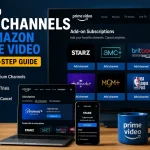
Option 2: Sign Up Through Amazon Prime Video Channels
If you already use Amazon Prime Video, you can add Apple TV as a channel directly through your Amazon account. This is a good option if you prefer to manage all your streaming subscriptions in one place. On Amazon Prime Video:
- Go to the Apple TV addon channel
- Click on the “More Details” button
- On the details page, click on “Start Your 7-day free trial”
- Confirm through your Amazon account (no separate Apple ID required)
- Watch Apple TV content directly inside the Prime Video app or website
The one thing to note with this route is that your billing goes through Amazon rather than Apple, so if you ever need to cancel, you’ll do that through your Amazon account settings rather than through Apple.
Option 3: Redeem a Device Trial
If you recently bought a new iPhone, iPad, Mac, Apple TV, or iPod touch, you may be eligible for 3 months of Apple TV free. Apple includes this offer with new device purchases, but you need to redeem it within 90 days of buying the device or the offer expires.
To check if your device qualifies, open the Apple TV app and look for a redemption prompt, or go to tv.apple.com and sign in with your Apple ID. If your device is eligible, the offer will show up automatically.
Option 4: Apple One Bundle
Apple One bundles Apple TV together with other Apple services like Apple Music, Apple Arcade, and iCloud storage into a single monthly subscription. New Apple One subscribers get a one-month free trial of the whole bundle, which includes Apple TV.
If you’re already paying for some of those services separately, the bundle might actually save you money even after the trial ends.
Option 5: Apple Student Plan
If you’re a verified student, Apple offers a discounted Apple Music plan that includes Apple TV at no extra cost. New students get 30 days free before the discounted rate kicks in. Verification is done through UNiDAYS, which confirms your enrollment status.
Apple TV User Experience
Apple TV is one of the cleaner streaming experiences out there, and that’s not a small thing. Anyone who has fumbled through a cluttered interface trying to find something to watch knows how much the design of a streaming app affects whether you actually enjoy using it.
The home screen is uncluttered. There’s no algorithmic noise pushing dozens of trending titles at you or rows of content you’d never watch. Because the library is focused, the browsing experience reflects that. You can see most of what’s available without much scrolling, which makes it easy to decide what to watch without feeling overwhelmed.
Navigation is intuitive whether you’re on a phone, tablet, TV, or browser. If you’ve used any Apple product before, the interface will feel immediately familiar. If you haven’t, it still doesn’t take long to find your way around. Episodes continue where you left off across devices, so you can start watching on your TV and pick it up on your phone without losing your place.
The video and audio quality is excellent. Apple TV streams in 4K HDR where available, and Dolby Atmos audio is supported on compatible devices. If you have a decent TV setup, the picture quality on their originals is noticeably good – Apple clearly spends on production value.
On mobile, the app runs smoothly on both iPhone and Android. Downloads work reliably for offline viewing, and the interface translates well to a smaller screen without feeling like a stripped-down version of the desktop experience.
Customer support is available through Apple’s standard support channels – chat, phone, and the Apple Support app. It’s not streaming-specific support, but Apple’s general customer service is responsive and easy to reach if you run into billing issues or account problems during your trial.
The one area where the experience can feel limited is discovery. With a smaller library, there’s less to explore once you’ve worked through the main titles. That’s not really a criticism of the app itself, but it does mean the platform relies heavily on you already knowing what you want to watch.
Apple TV Compared To…
If you’re trying to decide whether Apple TV deserves a spot in your streaming lineup – or whether it should replace something you’re already paying for – it helps to see how it stacks up against the services most people are already familiar with.
Apple TV vs. Netflix
Netflix has an enormous library – movies, series, documentaries, stand-up, reality TV, international content. Apple TV has a fraction of that. What Apple has going for it is consistency. Netflix produces a lot of content, and the quality varies widely. Apple produces less, but there’s a higher floor on what makes it to the platform.
If you’re someone who spends more time deciding what to watch on Netflix than actually watching, Apple TV’s focused library might suit you better. If you need volume and variety, Netflix wins that comparison easily.
Apple TV vs. Disney+
Disney+ is built around franchises – Marvel, Star Wars, Pixar, Disney classics, and National Geographic.
It’s a strong choice for families and for people who are invested in those universes. Apple TV has better original dramas and comedies for adult viewers, but Disney+ has far more for kids and a deeper back catalog.
These two services serve different needs more than they compete directly.
Apple TV vs. Prime Video
Prime Video sits somewhere in between. It has a mix of originals and licensed content, and for many people it comes included with an Amazon Prime membership they’re already paying for.
The originals on Prime Video are hit or miss, though when they hit – The Boys, Reacher, Fallout – they hit hard. Apple TV’s originals are more consistently well-made, but Prime Video has more overall content and the added value of being bundled with Prime shipping.
If you’re already a Prime member, Prime Video is essentially free. Apple TV is an additional cost.
The honest answer is that Apple TV works best as a complement to another service rather than a replacement. At $12.99 a month, it’s one of the cheaper options, and if you’re watching regularly it’s easy to justify alongside one bigger service.
Apple TV Pricing After the Free Trial Ends
Apple TV keeps its pricing simple compared to most streaming services — there’s one plan, no ad-supported tier, and no confusing upgrade options to navigate.
Standard Plan – $12.99/month
This is the only Apple TV subscription tier. One price, full access to everything on the platform, no ads, and support for up to six screens simultaneously through Family Sharing.
If you’d rather pay annually, Apple offers a yearly plan at $99 – that works out to about $8.25 a month and saves you roughly $57 over the course of a year.
Apple doesn’t make the annual option obvious when you sign up, but you can switch to it anytime through your account settings.
Apple One – Starting at $19.95/month
Apple One bundles Apple TV together with other Apple services into a single monthly subscription. There are three tiers:
- Individual ($19.95/month) – Apple TV, Apple Music, Apple Arcade, and 50GB of iCloud storage
- Family ($25.95/month) – Same services shared with up to five family members, with 200GB of iCloud storage
- Premier ($37.95/month) – Adds Apple News+ and Apple Fitness+, with 2TB of iCloud storage for up to six people
If you’re already paying for Apple Music or iCloud storage separately, Apple One can save you money. It’s worth doing the math on what you’re currently spending before dismissing it.
Apple Music Student Plan – $5.99/month
Verified students get Apple Music and Apple TV bundled together at a discounted rate. After the 30-day free trial period, this is one of the best value ways to keep Apple TV if you qualify.
MLS Season Pass – $12.99/month or $49/season
A reminder that Major League Soccer content is a separate add-on and is not included in any of the plans above.
For most people, the standard monthly plan is all they need. If you’re already paying for other Apple services, take a look at Apple One before you commit. Depending on what you use, the savings can add up quickly.
How to Cancel Your Apple TV Free Trial
If you’re wondering how to cancel Apple TV whether on a free trial or subscription, I’m going to walk you through the steps. Depending on how you sign up, it may not be so obvious.
Make sure you cancel at least 24 hours before your trial ends to avoid being charged.
If You Signed Up Through Apple
On iPhone or iPad:
- Open the Settings app
- Tap your name at the top to open your Apple ID settings
- Tap Subscriptions
- Find Apple TV in your list of subscriptions and tap it
- Tap Cancel Subscription and confirm
On a Mac:
- Open the App Store
- Click your name or profile icon at the bottom of the sidebar
- Click View Information at the top of the page
- Scroll down to Subscriptions and click Manage
- Find Apple TV and click Edit, then Cancel Subscription
Through a Web Browser:
- Go to tv.apple.com and sign in
- Click your profile icon in the top right corner
- Go to Settings, then Subscriptions
- Select Apple TV and choose Cancel Subscription
On Amazon Prime Video Channels
- Go to amazon.com and sign in to your account
- Go to Account & Lists, then Memberships & Subscriptions
- Find Apple TV under your active channels
- Click Manage Subscription and select Cancel Channel
A Few Things to Know After You Cancel
You keep access to Apple TV until the end of the trial period – canceling early doesn’t cut off your access immediately. So if you cancel on day three, you can still watch through day seven.
If you cancel a paid subscription mid-month rather than during a trial, the same rule applies – you keep access through the end of the billing period you’ve already paid for. Apple doesn’t offer prorated refunds for unused time.
You can resubscribe at any time, but you won’t be eligible for another free trial since that’s a one-time offer for new subscribers.
Try Apple TV for Free
If you’ve been on the fence about Apple TV, the free trial is the lowest-stakes way to find out if it’s worth your time. You get seven days of full access, no limitations, and you won’t be charged a cent if you cancel before the trial ends.
The library is smaller than what you’ll find on Netflix or Disney+, but that’s not necessarily a drawback.
What Apple TV+ has built in a relatively short time is a collection of originals that are genuinely worth watching – the kind of shows that are easy to recommend to a friend without caveats. Ted Lasso, Severance, Bad Sisters, The Morning Show – any one of those is worth a week of your time on its own.
And if you happen to have bought a new Apple device recently, check whether you qualify for the 3-month trial before you sign up for the standard one. Three months of free access is a completely different experience than seven days, and it’s worth claiming if it’s available to you.
For everyone else, seven days is enough to watch a full series, get a feel for the interface, and decide whether $12.99 a month makes sense for you going forward. Most people who try it know within the first couple of episodes whether it’s their kind of thing.
Start Your Free 7-Day Apple TV Trial
If you already have Amazon Prime, you can also add Apple TV directly through Prime Video Channels and manage everything from your existing Amazon account.